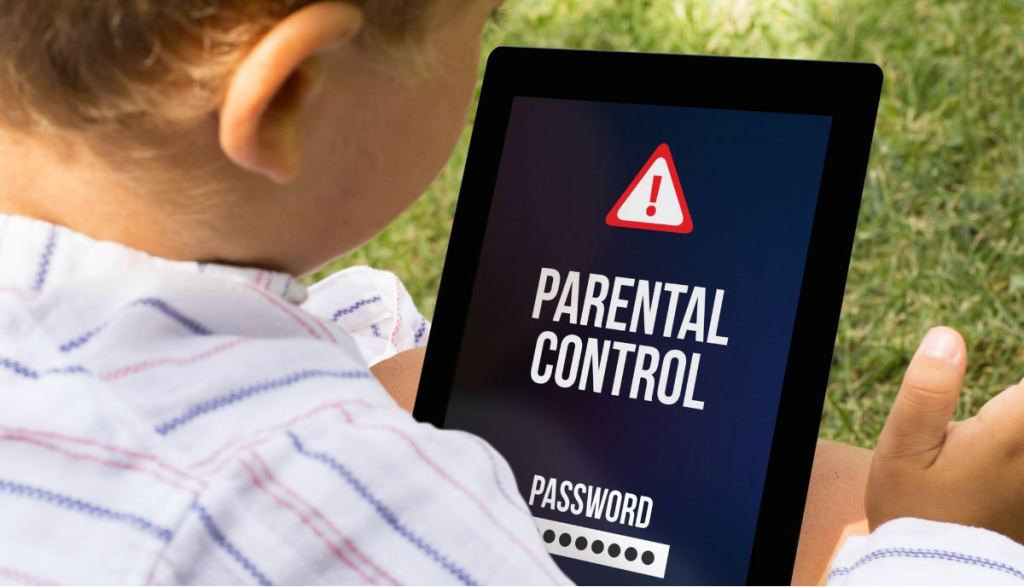
We start our blog with a very controversial but also unknown topic, and that is why many families demand information about it. We are discussing about tools for control and monitoring the activity that our children are performing on their devices (mainly the smartphone).
The controversy begins by the very nature of these tools, since we must be very careful about using them. To what extent is it ethical to invade the privacy of our children? Let’s think about that in the following way: What would it be like to be present in all the conversations our children have with their friends? This article helps us to reflect a little on the subject, and trough reading this one we can check that the subject even scratches the legal implications if the child does not live with both parents.

In any case, all experts on the topic seem to agree that no child should have in their hands a device with which they can access an uncontrolled world of information. At these ages, most of children lack criteria to assess risks, so it is crucial to teach them to be alert (although this is the subject for another article). It is also important for them to learn to set their own limits and be able to respect them.
Control and monitoring tools allow you to restrict and limit the actions that any user perform on a smartphone or computer. The most common capabilities we can find on this type of tools are:
- Monitor: Usage statistics that facilitate decision making.
- Temporary use limits to restrict what time we want the device to be used, blocking out of time.
- Blocking certain applications that we consider “dangerous”.
- Filter specific Internet sites.
The installation of a monitoring tool, in a consensual way and known by both parties, can help our children know that we have the possibility to control their activity, without this meaning that we will spy on what they are doing at all times. We must keep in mind that the goal is for him to learn to self-regulate his activity and make the best possible decisions.
There are some free tools that can perfectly serve the aforementioned task:
- Apple Screen Time. If we use Apple, it is a pre-built application that we can enable on both our child’s device and ours. It allows access to real-time reports about how much time is being invested in the iPhone or iPad, and based on them, establish limits of use. The application can be used in conjunction with Family Sharing, which allows us to create a family group, share content with its members and manage accounts as well as activate location services.
- Google Family Link. If we want to monitor and control Android device, we can install this solution from the Play Store. It allows you to keep track of the use of the phone, manage applications and usage time, block the device and restrict purchases in PlayStore, in addition to activating location services. It requires installing a client on the device I want to control and another application on our own device to manage the previous one.
On the other hand, some manufacturers offer their own parental control. For example, if we have a Galaxy device, Samsung’s kids mode allows you to customize the home screen and set usage limits.
In addition, main mobile carriers usually include parental control solutions in their services. For example, xFinity allows you to establish profiles for different family members and configure the most typical parental controls for them. These features can be handled free of charge. T-Mobile, AT&T or Verizon also include similar packages although these are paid, with prices ranging between 5 and 10 dollars per month.
As for paid solutions, there are a large number of applications on the market. While a more detailed analysis is recommended based on the specific characteristics that want to be monitored, there are a couple of general options that stand out if we want a general purpose application:
- Qustodio is one of the best stops in most comparatives, due to its variety of options. It has a free version and more complete versions whose price is around 55-110 dollars per year, depending on the devices we want to monitor (5-15). The difference between the different versions is clearly stated here
- Mobicip also has very good reviews in comparatives and specialized press. It allows filtering the content being very specific, and prices that range between 35 and 100 dollars per year (5-15 devices).
As an advice, start with one of the free solutions and test its effectiveness before moving on to a more complete tool if we see it necessary.
What do you think? Have you tried parental control tools? Have they been effective? Have you had trouble using them? I think it can be very useful for other families if they want to share their experience through a comment.
——————————————-
Empezamos nuestro blog con un tema muy controvertido pero también desconocido, y por ello muchas familias demandan información acerca de él. Hablamos de las herramientas de control y monitorización de la actividad que nuestros hijos están realizando en sus dispositivos (principalmente el smartphone).
La controversia comienza por la propia naturaleza de estas herramientas, pues debemos ser muy cuidadosos a la hora de usarlas. Hasta qué punto es ético invadir la privacidad de nuestros hijos? O, dicho de otra manera, querríamos estar presentes en todas las conversaciones que nuestros hijos tienen con sus amigos? Este artículo nos ayuda a reflexionar un poco sobre el tema, y en este otro podemos comprobar que el tema incluso ralla las implicaciones legales si el niñ@ no vive con ambos progenitores.
En cualquier caso, todos los expertos sobre el tema parecen coincidir en que ningún niñ@ debería tener en sus manos un dispositivo con el que puedan acceder a un mundo descontrolado de información. Lo más normal es que, a estas edades, les falte criterio para evaluar riesgos, luego es importante enseñarles a estar alerta (aunque esto es tema para otro artículo). También es importante que sean ellos quienes aprendan a establecer sus propios límites e intentar respetarlos.
Las herramientas de control y monitorización permiten restringir y limitar las acciones que un usuario hace en su smartphone o computadora. Entre las capacidades más habituales con las que suelen contar este tipo de aplicaciones podemos citar:
- Monitorización: Estadísticas de uso que facilitan la toma de decisiones.
- Límites temporales de uso para restringir a qué hora queremos que se utilice el dispositivo, bloqueando fuera de hora.
- Bloqueo de determinadas aplicaciones que consideramos “peligrosas”.
- Filtro de sitios específicos de Internet.
La instalación de alguna herramienta de control, de manera consentida y conocida por ambas partes, puede ayudar a que nuestro hij@ sepa que tenemos la posibilidad de controlar su actividad, sin que esto signifique que vayamos a espiar lo que está haciendo en todo momento. Debemos tener presente que el objetivo es que él mismo aprenda a autorregular su actividad y tomar las mejores decisiones posibles.
Existen algunas herramientas gratuitas que puede servir perfectamente para la tarea mencionada:
- Apple Screen Time. Si usamos Apple, es una aplicación preinstalada que podemos habilitar tanto en el el dispositivo de nuestro hijo como en el nuestro. Permite acceder a informes en tiempo real acerca de cuánto tiempo se está invirtiendo en el iPhone o iPad, y en función de los mismos establecer límites de uso. La aplicación puede usarse de manera conjunta con Family Sharing, que nos permite crear un grupo familiar, compartir contenido con los miembros del mismo y gestionar las cuentas además de activar servicios de localización.
- Google Family Link . Si nuestro hijo usa un dispositivo Android, podemos instalar esta solución desde el Play Store. Permite llevar cuenta del uso del teléfono, gestionar aplicaciones y tiempo de uso, bloquear el dispositivo y restringir las compras en PlayStore, además de activar servicios de localización. Requiere instalar un cliente en el dispositivo que quiero controlar y otra aplicación en nuestro propio dispositivo para gestionar el anterior.
Por otra parte, algunos fabricantes ofrecen su propio control parental. Por ejemplo, si tenemos un dispositivo Galaxy, el modo infantil de Samsung permite personalizar la pantalla de inicio y establecer límites de uso.
Además, las principales operadoras de telefonía suelen incluir soluciones de control parental en sus paquetes. Por ejemplo, xFinity permite establecer perfiles para los distintos miembros de la familia y configurar los controles parentales más típicos para de los mismos. Estas características se pueden manejar de manera gratuíta. T-Mobile, AT&T o Verizon también incluyen paquetes similares si bien estos son de pago, con precios que rondan entre los 5 y los 10 dólares mensuales.
En cuanto a las soluciones de pago, existen en el mercado una amplia cantidad de aplicaciones. Si bien se recomienda un análisis más detallado en función de las características concretas que se quieran monitorizar, hay un par de opciones generales que sobresalen si queremos una aplicación de propósito general:
- Qustodio es una de las que mejor paradas salen en la mayor parte de comparativas, debido a su variedad de opciones. Tiene una versión gratuíta y versiones más completas cuyo precio ronda entre los 55-110 dólares anuales, en función de los dispositivos que queramos monitorizar (5-15). Aquí se expone claramente la diferencia entre las distintas versiones
- Mobicip también tiene muy buenas críticas en comparativas y prensa especializada. Permite filtrar el contenido siendo muy específicos, y precios que rondan entre los 35 y 100 dólares anuales (5-15 dispositivos).
Mi consejo comenzar por una de las soluciones gratuitas y probar su efectividad antes de pasar a una herramienta más completa si lo vemos necesario.
Ustedes qué piensan? Han probado herramientas de control parental? Han resultado efectivas? Han tenido problemas para usarlas? Creo que puede ser muy útil para el resto de familias si quieren compartir su experiencia a través de un comentario.
 Amigos - Technology for parents